The Sunday School ministry app
Ministry teams,
organized.
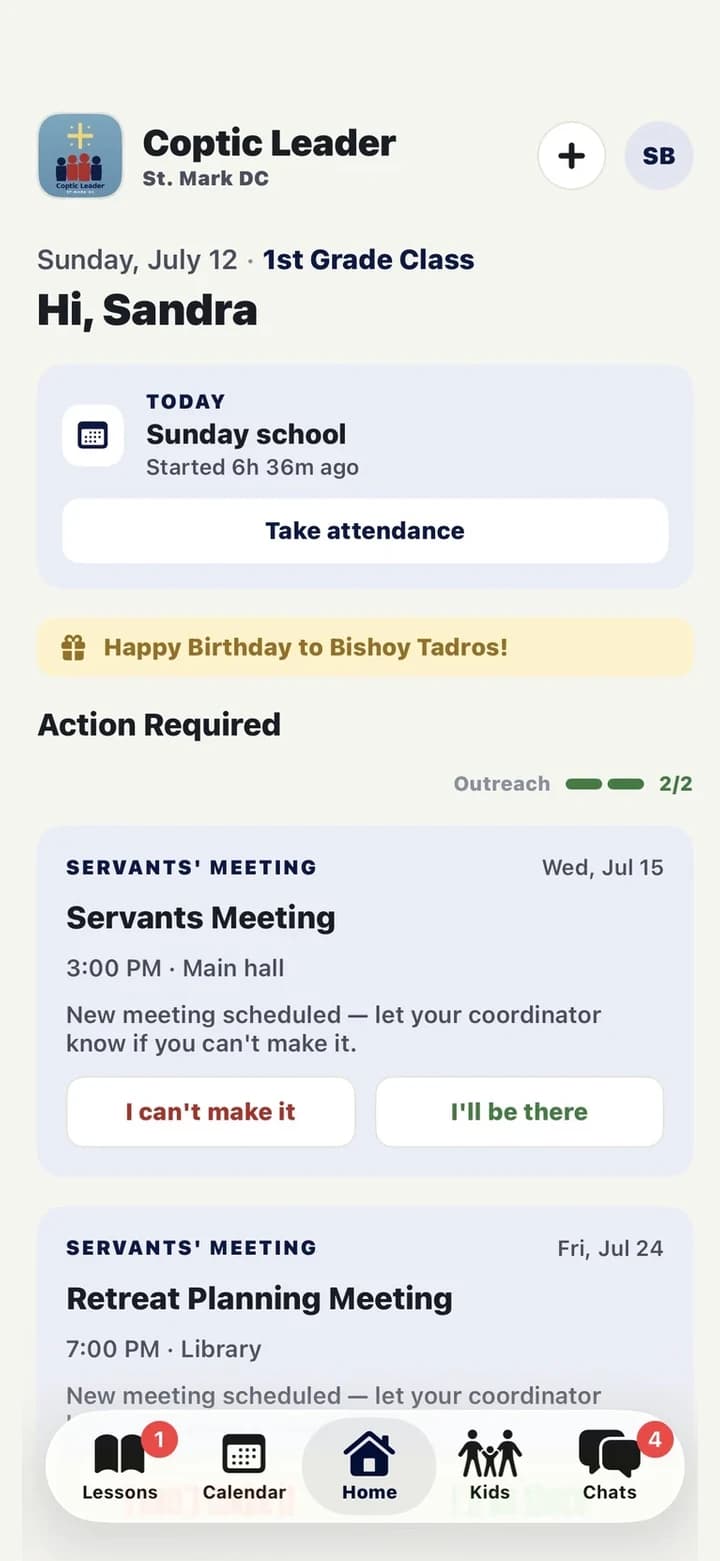
Coptic Leader keeps a Sunday School ministry running between Sundays — attendance, lessons, outreach, events, and team chat in one place, so servants can spend their time on the children instead of the spreadsheet.
Accounts are created by your ministry coordinator — there's no public sign-up, and children never use the app.
Everything in one place
The whole ministry, in one app
Seven things a Sunday School team juggles every week — and the seven places they usually get lost. Coptic Leader keeps them together, so nothing quietly falls through.
Kids & families
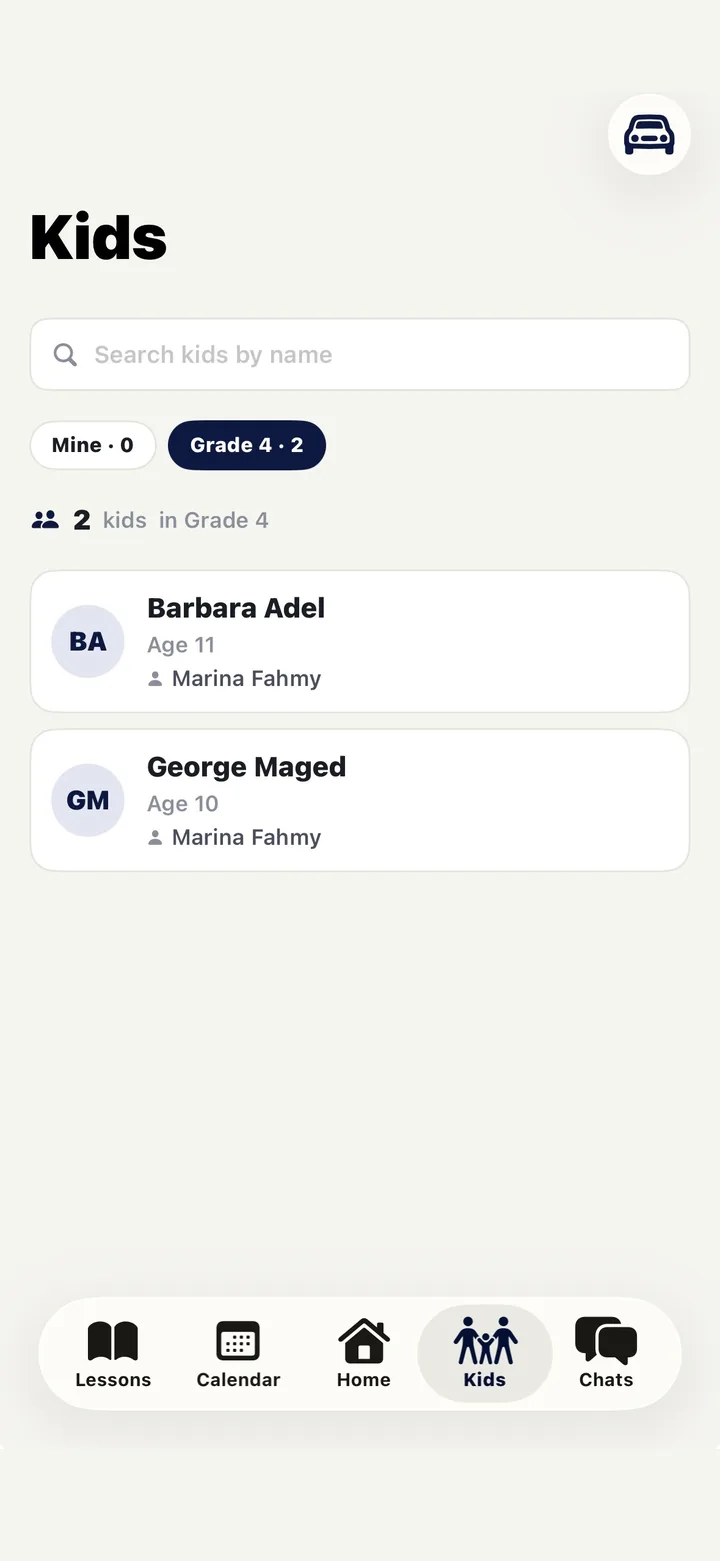
One roster per class, with parents, allergies, birthdays, and every outreach note attached to the child.
Lessons
Slots, assignments, and submissions with attachments — plus a review step so a coordinator sees the lesson before Sunday.
Outreach
Log a call, text, visit, or prayer in seconds. Duty meters show at a glance which children haven't been reached this month.
Attendance
Sunday sessions, events, and servants meetings — taken on a phone in under a minute, with absences surfaced automatically.
Events & Friday nights
Plan the FNA, poll the team on the date, collect RSVPs, assign tasks, and track who's covering what.
Rides
Servants offer a seat and build a carpool in a couple of taps — the pickup route orders itself, and coordinators can see at a glance which children still have no ride home.
Chat & polls
Class and ministry threads with replies, reactions, files, and in-thread polls — so ministry talk stays out of the group text.
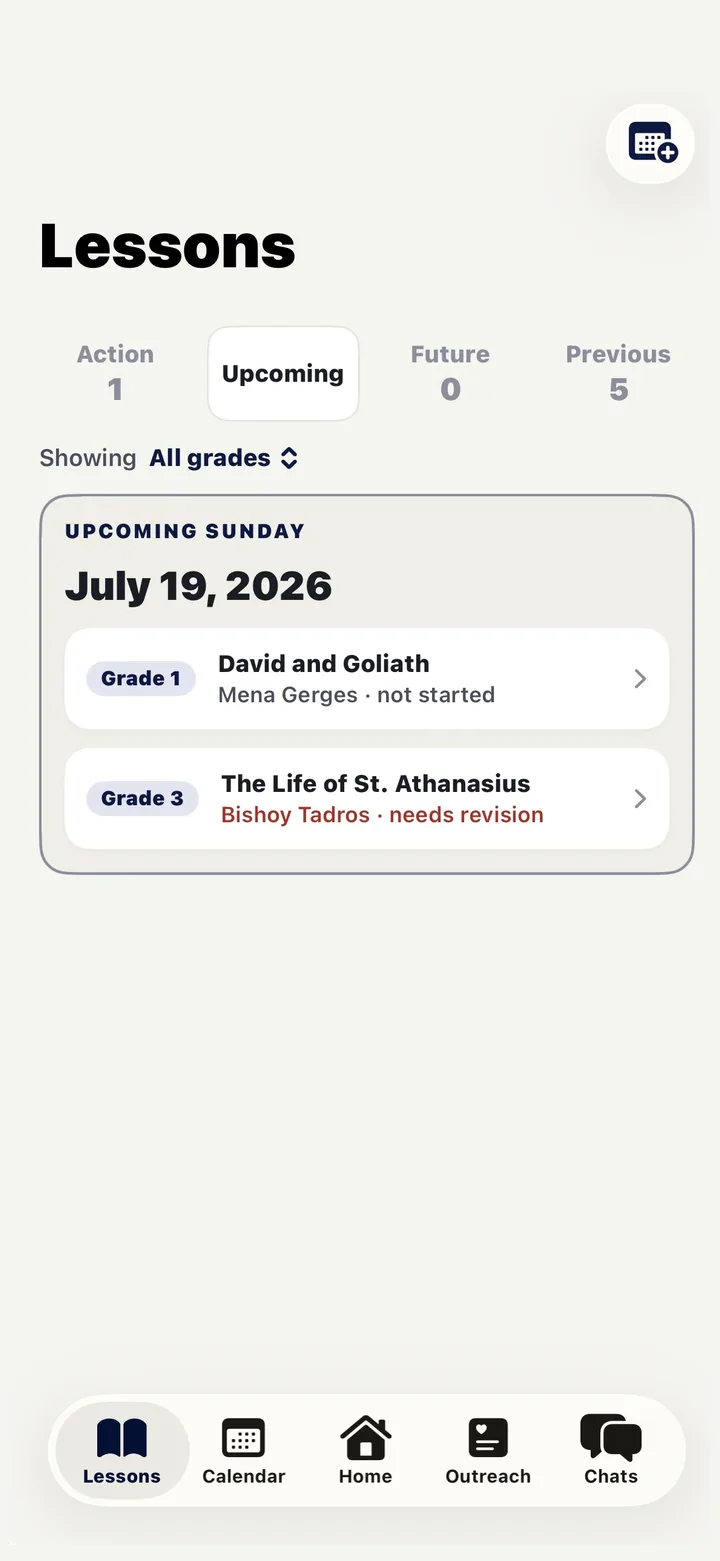
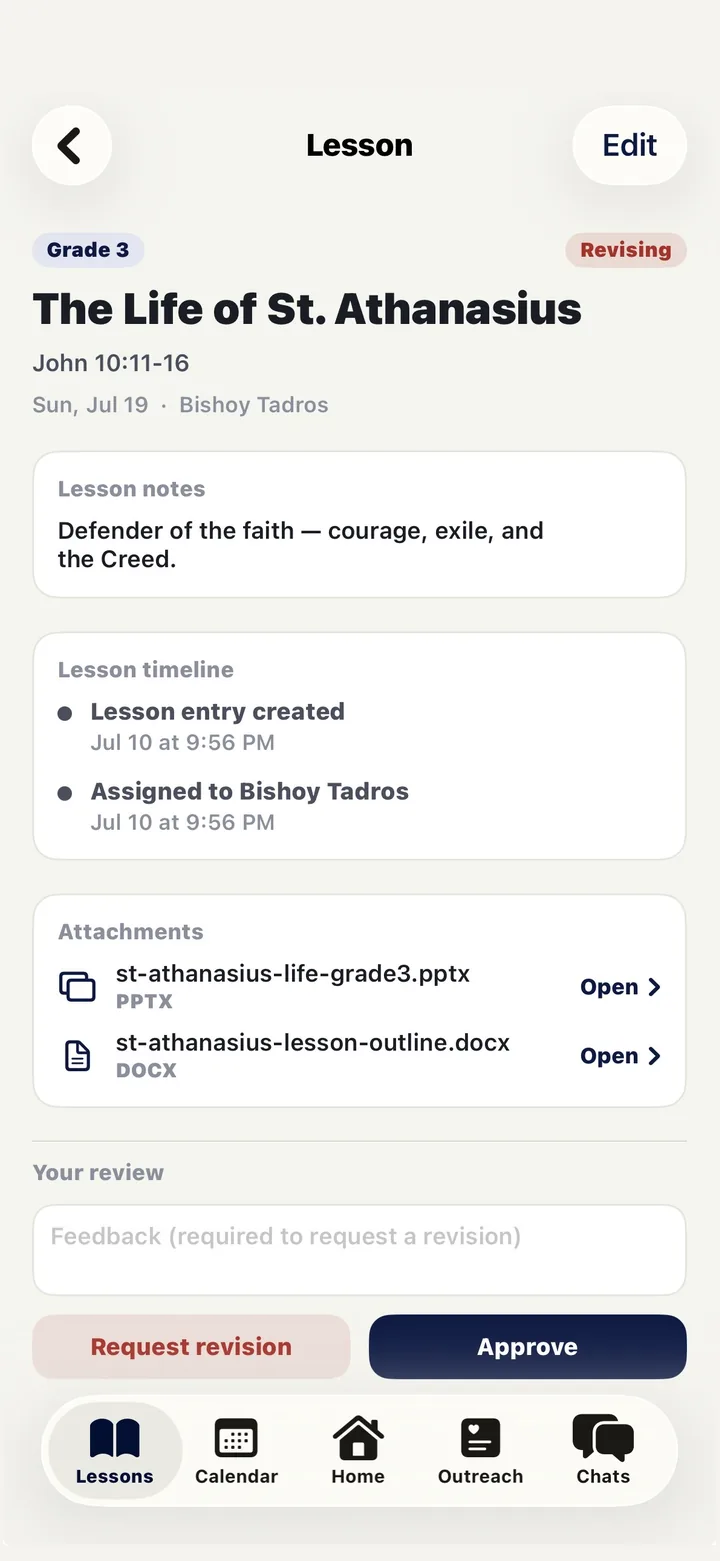
Lessons
Every lesson assigned, submitted, and reviewed
- Coordinators lay out the term in slots; servants claim or get assigned the weeks they teach.
- Submit the outline right from your phone — attach a PowerPoint, a document, or just type it in.
- Nothing goes out unreviewed: a coordinator reads it, leaves feedback, and approves before Sunday.
- Late and unscheduled lessons surface on their own, so no one has to chase them.
Outreach · both roles
One child in front of you. Every child in front of them.
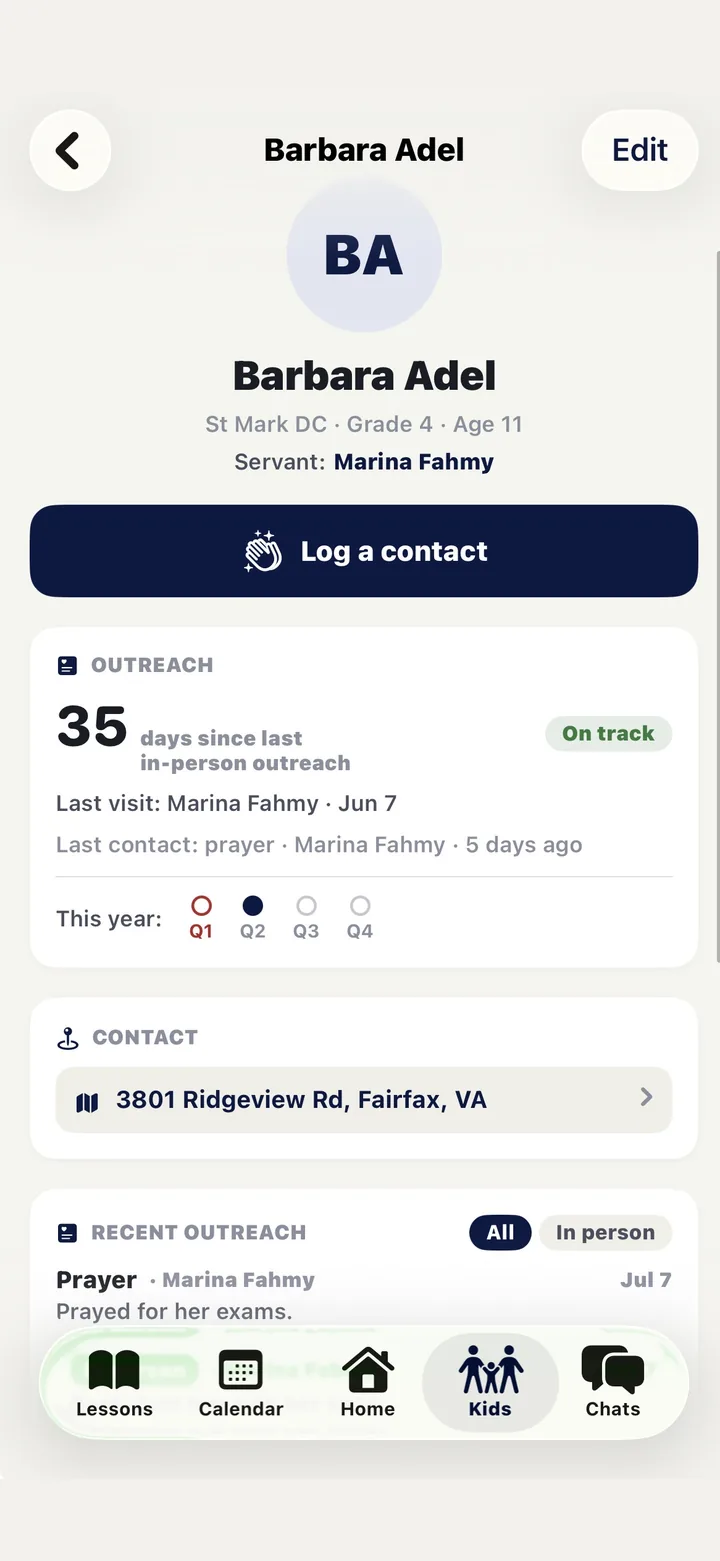
- A servant opens a child and sees the whole history — last visit, last contact, what was said.
- Logging a call, text, visit, or prayer takes two taps, and attaches to the child and the servant.
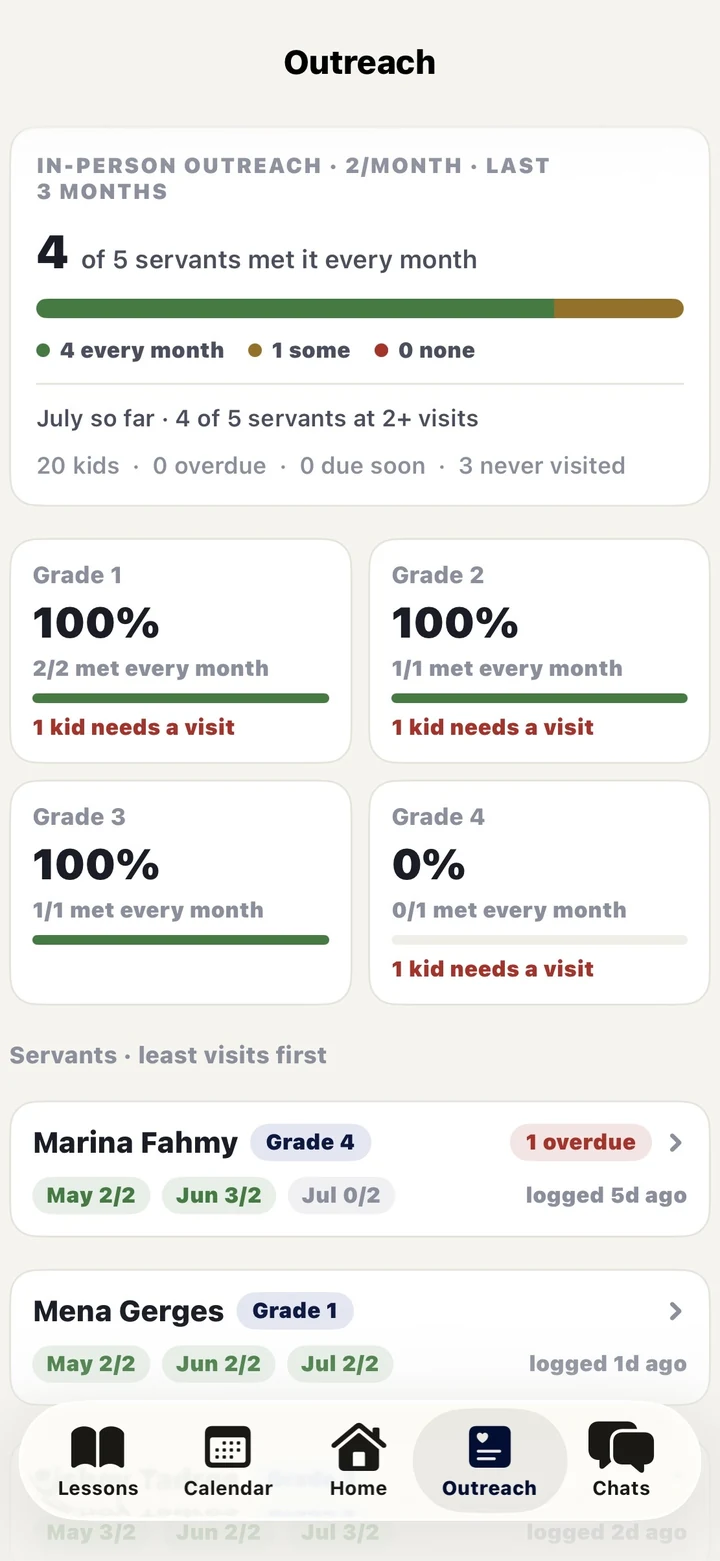
- A coordinator sees outreach health across every grade, with the servants who’ve gone quiet ranked first.
- Nobody has to remember who hasn’t been reached — the app already knows.
Rides
Getting every child there, without the group-text scramble
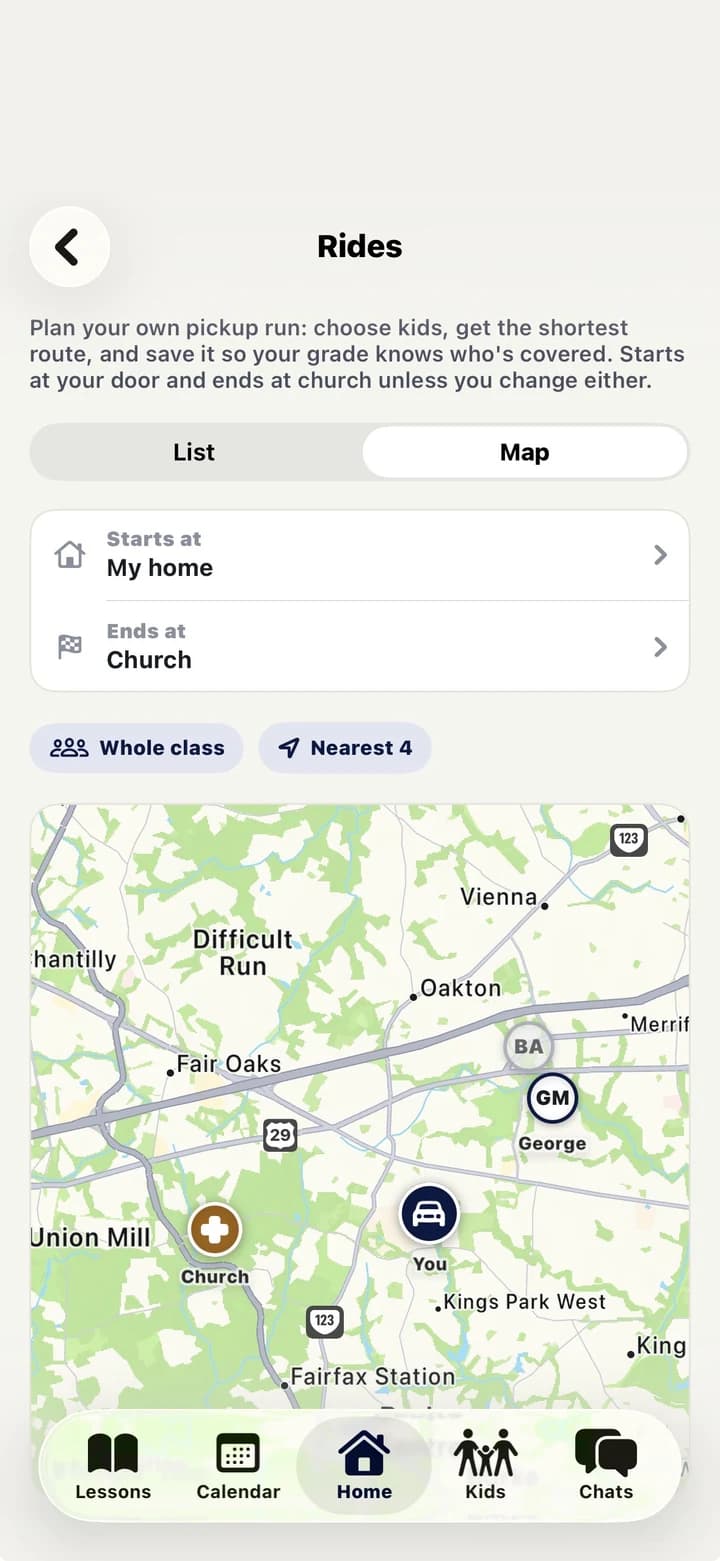
- A servant offers a seat and picks who they’re carrying — the whole class, the ones nearest them, or by hand.
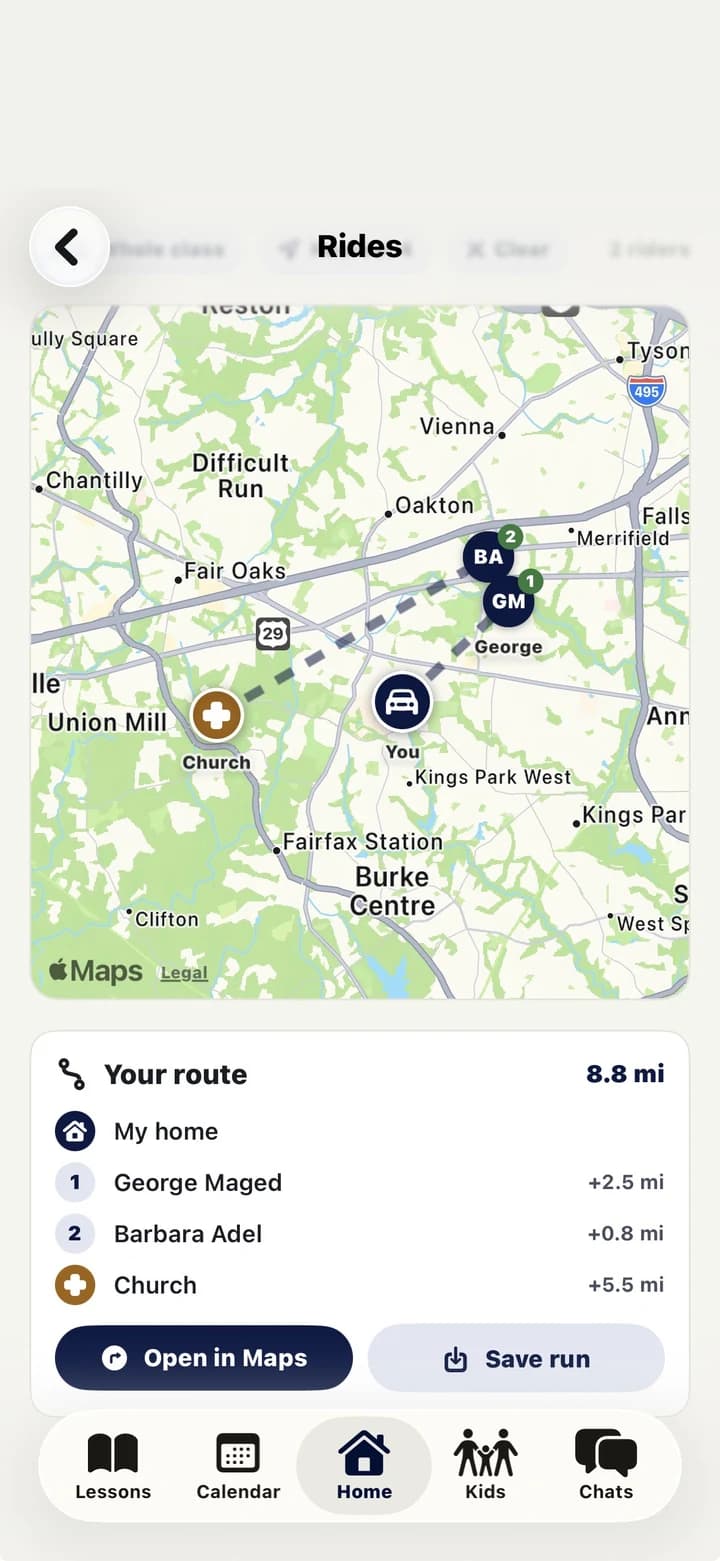
- The pickup route orders itself: starts at your door, ends at church, shortest way round.
- One tap hands the finished route to Apple or Google Maps, so you just drive it.
- Coordinators watch coverage from their own lens and can see which children still have no ride.
Chat & polls
Ministry talk that doesn't get buried in a group text
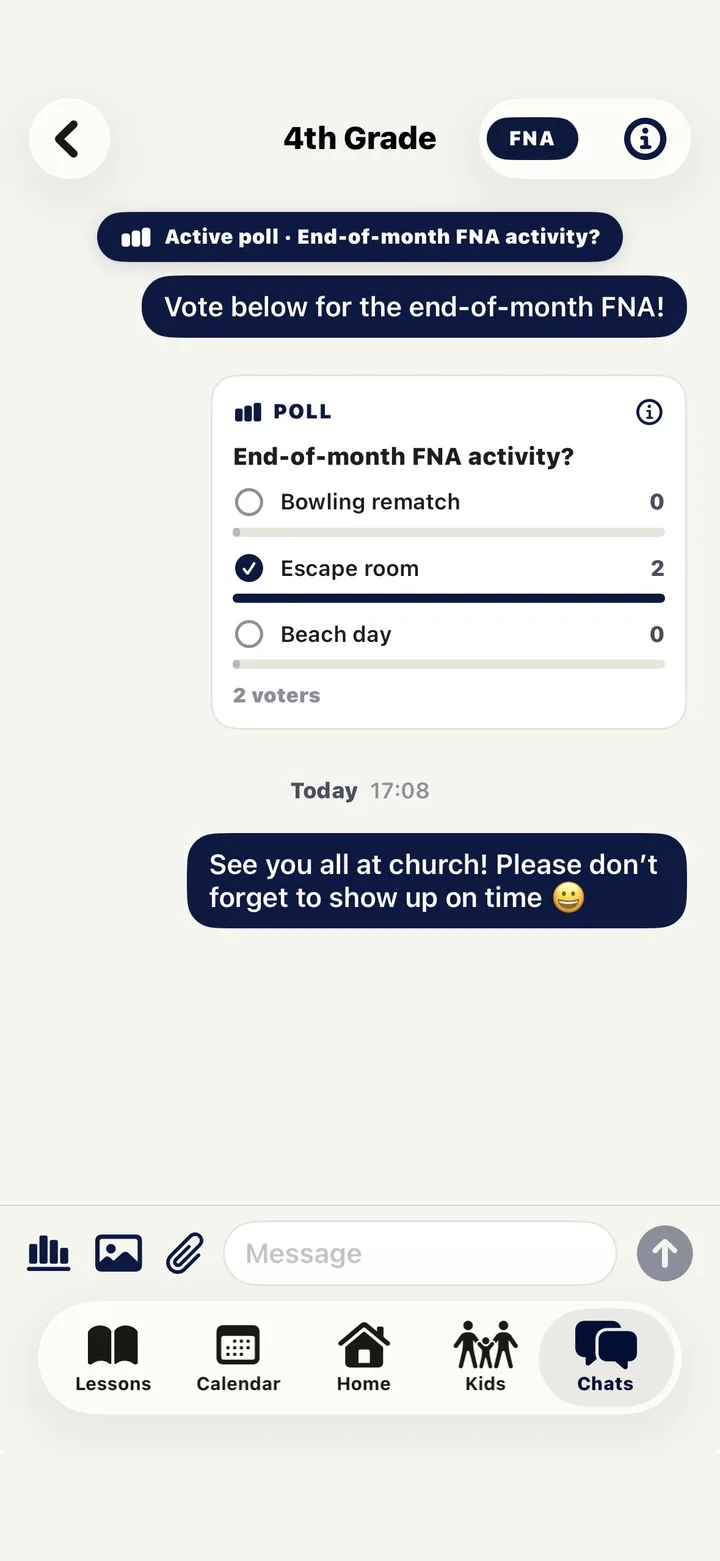
- Class threads and ministry-wide threads, with replies, reactions, images, and files.
- Run a poll right inside the thread — the FNA activity, who’s driving, what to bring.
- Mentions, mute, and archive, so the noisy threads stay quiet until they matter.
- Anything concerning can be reported privately to every coordinator with a long-press.
Calendar & events
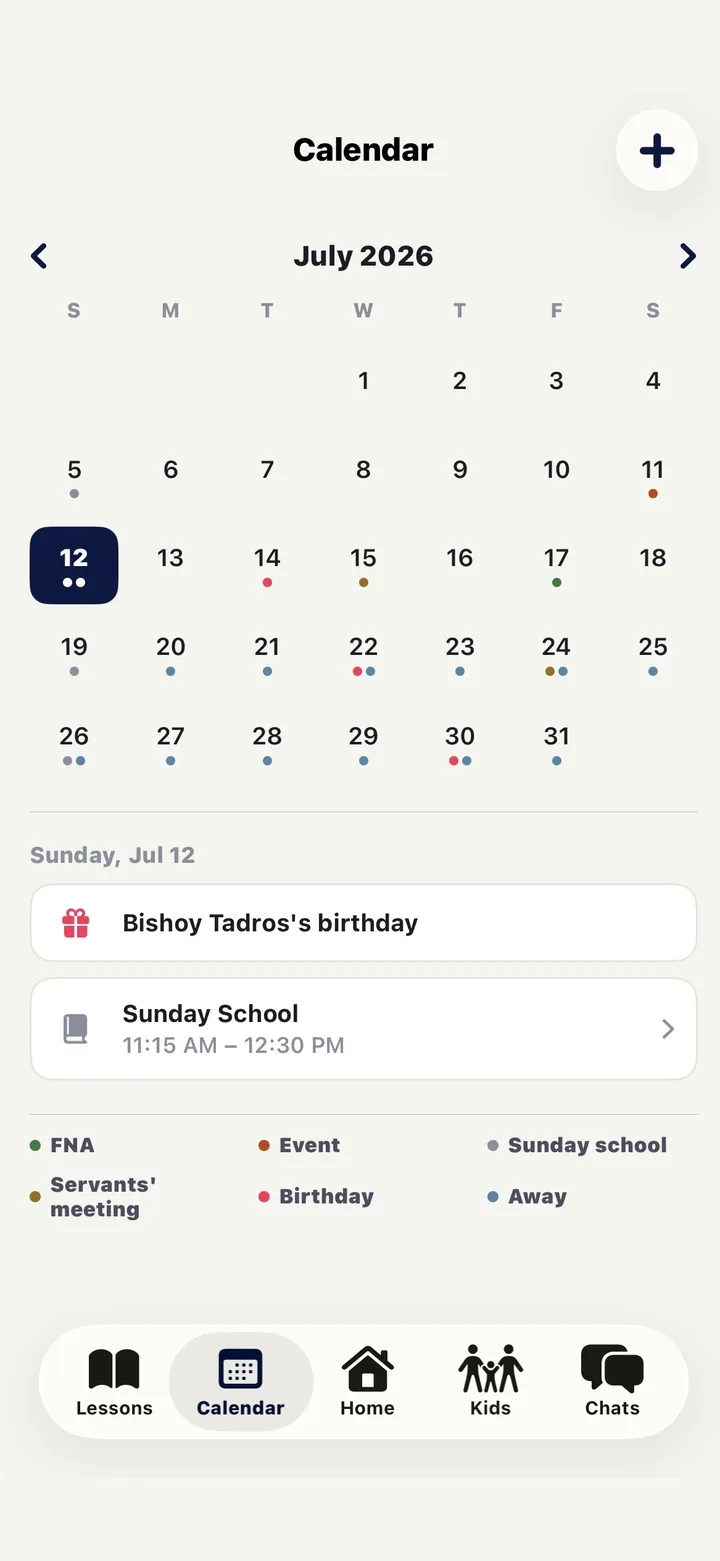
Sundays, Friday nights, meetings, birthdays — one calendar
- Sunday school, FNAs, servants meetings, events, birthdays, and away days, colour-coded in one month view.
- Tap a day to see what’s on it; tap an event to RSVP, take attendance, or add it to your phone’s calendar.
- Servants mark themselves away and the coverage gaps show up before Sunday, not on it.
Two roles, one ministry
Servants see their class.
Coordinators see everything.
The same app, scoped differently. A servant opens it and sees the handful of things that are theirs this week. A coordinator opens it and sees the health of the whole ministry.
“What do I need to do this week?”
- · Their kids — roster, parents, allergies, birthdays
- · This week's lesson: claim it, prepare it, submit it
- · Outreach duty meter and who still needs a call
- · Class and ministry chats, polls, and RSVPs
- · Take attendance on Sunday, mark their own absences
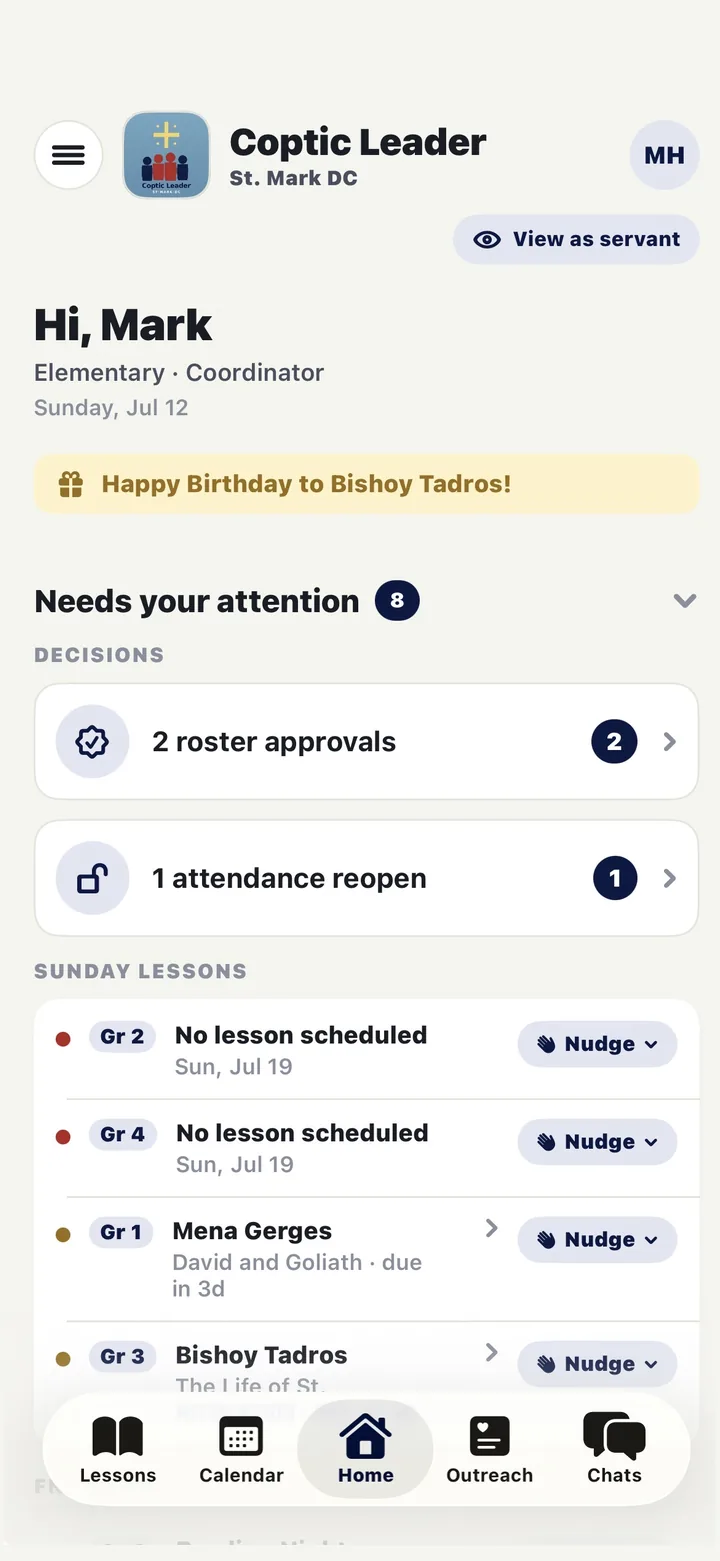
“Is anything slipping?”
- · A dashboard of what needs a decision today
- · Lesson coverage and a review queue across all grades
- · Outreach health per grade, with idle servants flagged
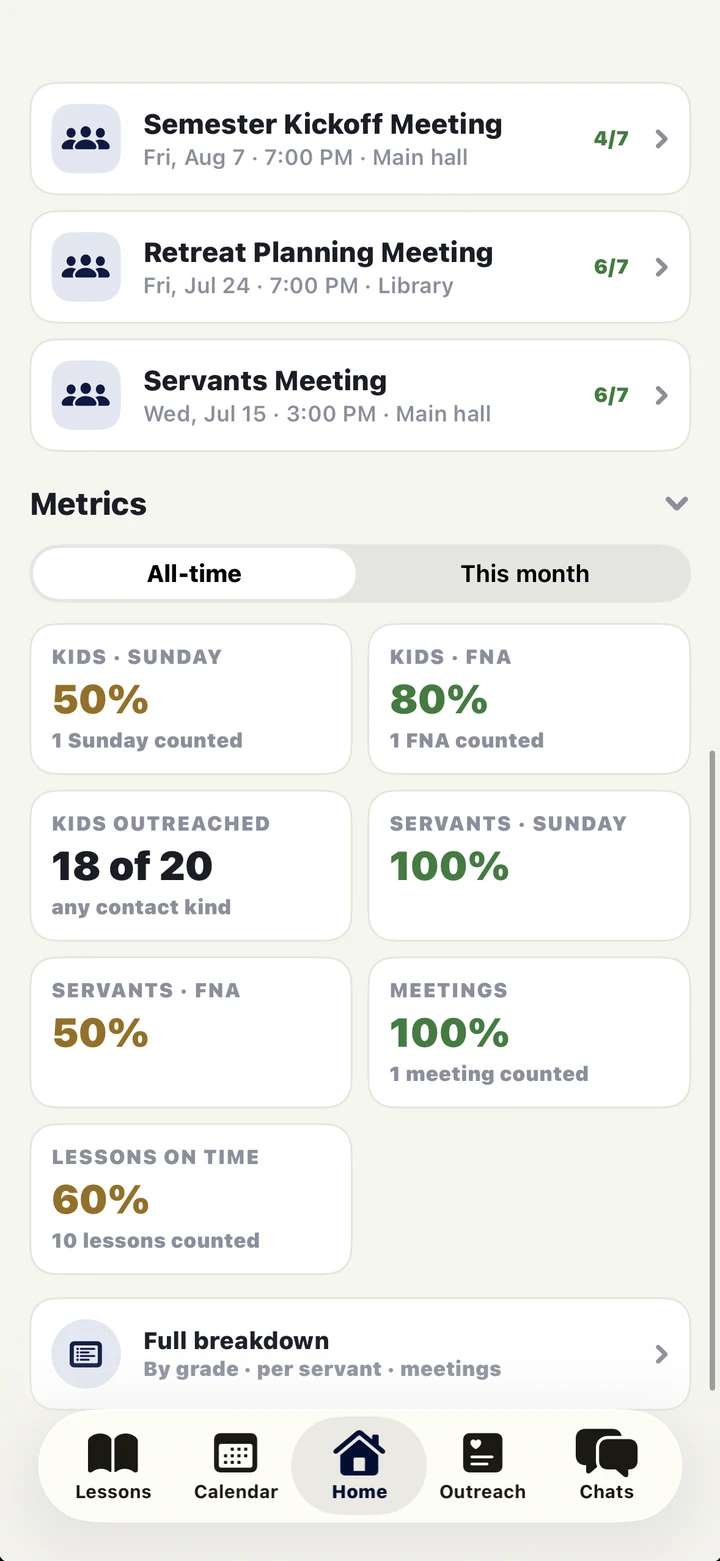
- · Metrics: attendance, outreach, lessons on time
- · Approvals, nudges, roster changes, attendance reopens
- · “View as servant” — see exactly what a servant sees
Get the app
Best on iPhone. Available anywhere.
Coptic Leader is built for iPhone — that's where it feels fastest, and where Face ID, push notifications, and the demo tour live. If someone on your team doesn't have one, the web app covers them.
The iPhone app
- · Sign in with Face ID — no PIN to remember
- · Push notifications that actually arrive on time
- · Tour the demo ministry before you sign in
- · The full ministry: kids, lessons, outreach, chat, events
The web app
For anyone who can't use the iPhone app — Android, an older phone, or a laptop. Same ministry, same data, same login.
It installs to an Android home screen too: sign in, and the sign-in screen will walk you through adding it.
Open the web appFor other churches
Try the demo.
Then bring it to your church.
Download the app and tap “New here? Explore the demo ministry” on the sign-in screen — a fictional parish with real data in it, so you can walk the whole app before you commit to anything. When you're ready, email us and we'll set your church up: your ministry, your grades, and your first coordinator.